 |
Vs. |
 |
Video Card Shootout
Why upgrade your video card?
by Jamie Dresser
When you decide to upgrade the processor in your Power Macintosh AGP based system, there are a few things you should consider doing at the same time. One of the most popular items to upgrade is the video card your system shipped with. If you have an older "Sawtooth" based system, you may have received a 16MB ATI RAGE 128 video card, which was a fine performer in it's day. But now it's getting really long in the tooth, and you can't even take advantage of some of the best new games, or even the underlying core technologies included with Mac OS X 10.2, such as Quartz Extreme! It's time to replace that video card, and this article shows you the benefits of upgrading the 2nd most important piece of hardware in your G4, it's video card.
We've gathered the 4 most popular video cards we've sold now and in the past for the Power Macintosh AGP systems together for a down and dirty shootout - two from nVidia and two from ATI. In one corner you have a really low end and inexpensive nVidia card and it's really big brother, and in the other corner you have two all around great cards from ATI - The short version of this story is that the "big bad boy" from nVidia dominates the really big tests, as expected - but read on and see just how well the low end nVidia card performs. Bottom line - you can't go wrong upgrading your video card, even if you still have not pumped new life into your tower with a fast G4 upgrade.
|
Test Results
|
|
clicking on each link will open up a separate window for comparison purposes.
|
|
Mac OS X Testing (10.2.6, curent as of 06/03/03)
|
|
|
100MHz Bus System Tests
|
133MHz Bus System Tests
|
|
| Marine Aquarium - Average Framerate (screensaver) |
|
|
|
Quake 3 - Average Framerate
|
|
|
|
Return To Castle Wolfenstein - Average Framerate
|
|
|
|
Star Wars: Jedi Knight II - Average Framerate
|
|
|
| Unreal Tournament 2003 - Map Flyby Average Framerate |
|
|
| Unreal Tournament 2003 - Botmatch Average Framerate |
|
|
|
XBench 1.0 - Graphics Test Scores
|
|
|
| Cinebench 2003- Total Score |
|
|
|
|
Mac OS 9 Testing (9.2.2)
|
|
|
| PLEASE NOTE - The links below will transport you to a previous set of tests done using one video card only, the RADEON 9000. The tests listed above were the main focus of this set of benchmarks, but you can be assured that upgrading your processor and video card will offer the same kind of benefits under Mac OS 9 as it certainly does under Mac OS X. |
|
|
100MHz Bus System Tests
|
133MHz Bus System Tests
|
|
| Cinebench 2000 - Overall Score |
|
|
|
MacBench 5 Graphics Test
|
|
|
|
|
|
Processor upgrade cards used in this test:
|
|
|
|
GigaDesigns has quickly established itself as one of the best upgrade manufacturers in the Mac market. Their products are quite new, and they have been in business less than 6 months now, but don't let that keep you from considering their product, they are excellent, judging by the many happy owners responses at XLR8YourMac!
In this test, both an 800MHz and a 1GHz upgrade from GigaDesigns were used.
|
|
|
|
|
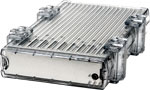
Other World Computing has been serving the Mac community since 1988 and this is our first processor upgrade for AGP Macintosh systems. The OWC Mercury Extreme raises the bar for the competition by bringing to market the fastest AGP processor upgrade to date at 1.33GHz. Another big plus over 2 of the 3 competitors is it's integrated fan & heatsink - no need to reuse a heatsink that was never intended to be used with a much faster processor. Combining the latest technology, top-quality components, and a heatsink engineered from the beginning to keep everything running cool, the OWC Mercury Extreme is a very solid upgrade.
In this test, a 1.33GHz processor from OWC was used.
|
|
|
|
Video cards used in this test:
|
|
|
|
ATI RAGE 128 16MB - This was the standard video card included up through the Gigabit Ethernet systems, about 3 years old. The ATI RAGE 128 16MB included both DVI and VGA ports, with some cards being custom produced with ADC connectors in the Gigabit Ethernet systems. The main problem with this card (other than it's age) is the fact it only has 16MB of VRAM, not enough to run Quartz Extreme, or a vast majority of the new games on the market.
|
|
|
|
|
nVidia GeForce4MX 32MB - The nVidia GeForce4MX 32MB card was sent as standard equipment starting with some Apple Power Macintosh G4 QuickSilver systems, and most recently with Mirrored Drive Door Systems. A fine all around performer, the GeForce4MX has 32MB of VRAM, and can be used as a dual-head monitor, driving 2 displays at the same time. The GeForce4MX has both an ADC port and also a DVI port, and can be adapted to use VGA monitors even. |
|
|
|
|
nVidia GeForce4Ti 128MB - The nVidia GeForce4Ti is one of the most powerful graphics cards to ever ship with a Power Macintosh system. We currently are not selling this top-performing card, but we have in the past and if possible we certainly will again. Dominating ever test performed, the GeForce4Ti offers 128MB of super fast video RAM and can drive two monitors, with 64MB of VRAM dedicated to each display. This is the ULTIMATE card if price is not a factor for your dream system. It has both a DVI port and an ADC port, ready to use with any digital monitor you choose. Or, add a VGA adapter to either port to use with your older monitor. |
|
|
|
|
ATI RADEON 8500 64MB - Shipping for almost two years now, the ATI RADEON 8500 is actually a little faster than it's younger sibling, the RADEON 9000. The 8500 has a DVI port and also a VGA port, allowing your older monitor to plug in without an adapter. Don't let it's age concern you, look at the test scores and you'll see why it's a great all around choice, and can drive two monitors just like the other "new cards". |
|
|
|
|
ATI RADEON 9000 64MB - The latest retail card from ATI is the ATI RADEON 9000. Eagerly anticipated, the 9000 was announced almost a year ago at MacWorld New York 2002, but it did not ship till just before Christmas 2002. It's compatible with all types of displays, and can run 2 monitors at a time, just like the other cards in this test. This is the bargain performance leader if you want to run an ADC display. |
|
|
Other components used in this test:
|
|
|
Hard Disk Drive - 120GB OWC Mercury Elite Pro FireWire External FireWire Hard Drive - 7200RPM, 8MB cache, using a stock built in 1394a FireWire Port.
Why use a FireWire drive? This levels the playing field in respect to drive interface, it is identical when used on all platforms.
|
|
|
|
|
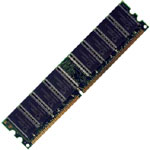
Memory - All of the following systems are utilizing 1GB of high quality OWC Memory, 512MB PC-133 SDRAM CL2 chips.
Upgrade any Macintosh system with OWC Memory and you won't be disappointed!
|
The above listed components round out the installed equipment - the same test equipment was utilized with both systems tested, there are no variables other than the bus speed.
Video resolution was set to 1280x1024, millions of colors for all testing.
|


 1-800-275-4576