|
The Weatherman of FireFox
by Duane Crago
One thing that a lot of people always want to know is how the weather is looking either for the current day or the next few days coming up. When you live in a place that the weather can be all over the place in just a few short days obviously it becomes even more important.
For your basic weather needs sometimes it is a matter of convenience and clearly the internet is a great place to get the information. Many people around the office usually have one or multiple Mac OS X weather widgets they use that feedback various weather information. There is a nice add-on for such an occasion if you are using Firefox for your browser so that you will not even need to press F12 to load your widgets to check your weather. Forecastfox, created by Richard Klein and Jon Stritar, allows a wealth of weather forecast information right in your browser window.
Installation
Installation of this plug-in is very simple. Like many FireFox add-ons, simply go to the FireFox Add-ons website and click Install Now. A window will pop-up to confirm by clicking Install Now again. It is a small file so will download fairly quickly and once it is done you just need to restart your Firefox browser to begin using it.
Using Forecast Fox
This forecasting agent can be configured to provide various information to you in a number of formats. By right clicking anywhere on the Forecast Fox bar you can select the options which will give you different ways to help configure the weather information that is presented to you. There are several categories of options to help you get the most from the weather bar. It allows you to create multiple profiles for it which you can use to get weather at a number of locations which is essential if you travel a lot or want to get an idea of the weather coming up where you are going on vacation. Using the profiles there is an option you can enable to rotate the profile information for you after a set period of time that you designate. You can have it report the temperature in both Fahrenheit or Celsius. You even can arrange it in a number of different spots on your browser for where it reports the information.
|
|
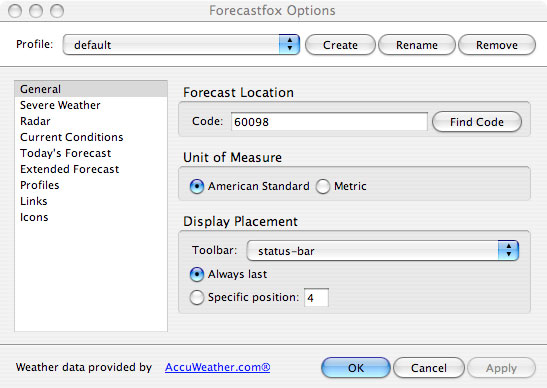 |
Once you have set your options you will see the information presented to you on your browser window as configured. For the weather forecast you can tell it how many days to up to 8 days in advance. It can report the day, night, or both day and night weather forecast.

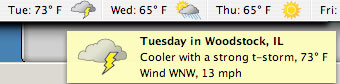
If you mouse over a specific day it includes further information on projected weather information, that day's high temperature, wind speeds and direction; and cloud conditions.
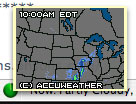
There is a little radar icon you can mouse over to see a thumbnail of the radar map from Accuweather.com and if you want to see it full sized you can click on it to be brought to it on their page by just clicking on it.
If there is a severe weather alert it will also put up a red indicator and you can get further information on the situation by clicking on it.
Now you have the weather right in your web browser always while you use the internet. Enjoy knowing what to expect from your area weather at a glance!
Forecastfox 0.9.5.2
by Richard Klein, Jon Stritar
Download at: https://addons.mozilla.org/en-US/firefox/addon/398
Requires: Firefox: 1.5 – 3.0a3
The latest Firefox version can be downloaded at http://www.mozilla.com/en-US/firefox/
|


 1-800-275-4576


