Free Shipping available on orders $299 & up!Shop our Specials»
  • Business Icon For Business & More icon arrow
    • Creative, Production & PostCreative, Production & Post
    • Corporate & EnterpriseCorporate & Enterprise
    • Higher EducationHigher Education
    • State, Local & K-12 EducationState, Local & K-12 Education
    • House of WorshipHouse of Worship
    • Systems IntegratorSystems Integrator
    • HealthcareHealthcare
    • Federal, State & Local GovernmentFederal, State & Local Government
    • Join Today!

      Already registered? Sign In

  • Region: Canada icon arrow
    • Select your preferredcountry / region:

    • USA RegionUSA + International
    • Canada RegionOWC Canada

    • Experience local shipping options and optimized product inventory for your region.

  • Phone Icon1-800-275-4576
  • Intl: 1-815-338-8685
MacSales.com Powered By OWC
Site Search
  • Blog
  • Support
  • Account
    • Hello, Sign In
    • My Account
    • Order Status
    • Write A Review
    • Warranty & Returns
  • Cart
MacSales.com Powered By OWC
  • Support
  • Chat Contact
  • Account
    • Hello, Sign In
    • My Account
    • Order Status
    • Write A Review
    • Warranty & Returns
  • Cart
  • Specials & Featured
  • Rocket Yard Blog
  • Chat
  • Support
      • Shop All
        • Internal Drives
        • External Drives
        • Apple & Macs
        • Docks & Connectivity
        • Cards & Readers
        • Batteries
        • Software & Apps
        • Cables & Adapters
        • Memory
        • PCIe Expansion
        • Specials & Featured
        Tech Support Home
        OWC Downloads
        CD/DVD / How to Remove the Bezel off a Current Model Optical Drive
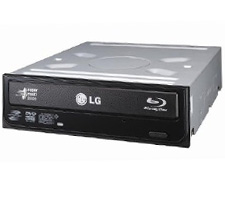
        LG Electronics - Super Multi Blue
        Other Products
        OWC Value Line
        Enclosure kit for Optical Drives
        from $34.99
        Internal Storage
        2.5"/3.5" HDD, SSD, SATA, IDE/ATA
        How to Remove the Bezel off a Current Model Optical Drive

        For newer model optical drives.


        DISCLAIMER: Although every effort is made to provide the most accurate and useful
        information, no warranty, expressed or implied, is made regarding accuracy,
        completeness, reliability, or usefulness of any information

        Step 1. Manually Ejecting the Drive Tray

        Start by taking the paperclip and bending the outer curve straight.
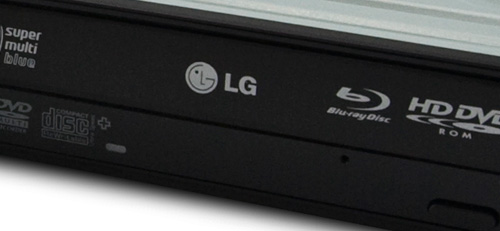
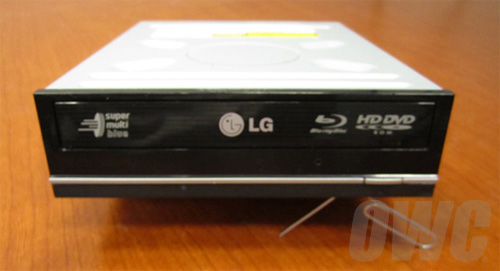
        Next you will see that under the bezel (the plastic on the front of the tray) there
        is a pin hole, insert the straightened paperclip in the hole and push inward.
        You might miss the catching device the first or second time. You should
        feel that the paperclip stops about quarter an inch in just put
        a bit more force on it and the tray will slide open.
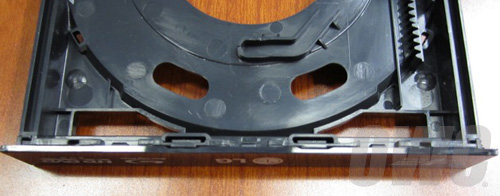
        Now pull the tray out carefully in till it stops.

        Note: When pushed out it's not that hard to push it pack into the drive.

        Step 2. Pushing off the Drive Bezel
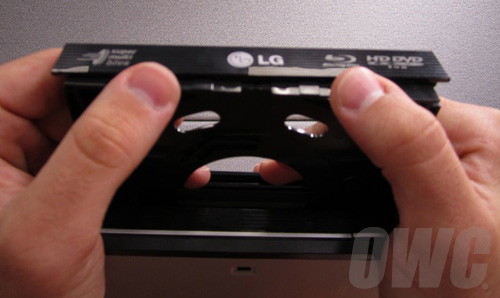


        Put your thumbs on the front of the tray you should feel a slight lip.
        Once you have grip on that push up away from the drive towards
        yourself with a gental firm pressure. Continue then with pushing
        up towards the top of the drive and it will start sliding off.
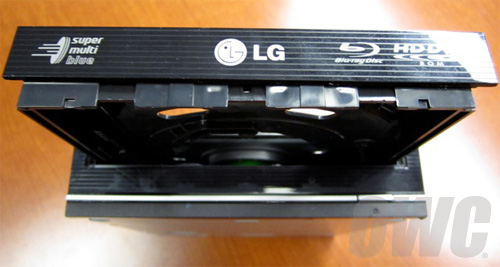
        Note: Don't twist or pull on the drive tray. Doing this can cause
        physical internal damage to the drive rendering it unusable.

        Step 3. Pulling off the Drive Bezel
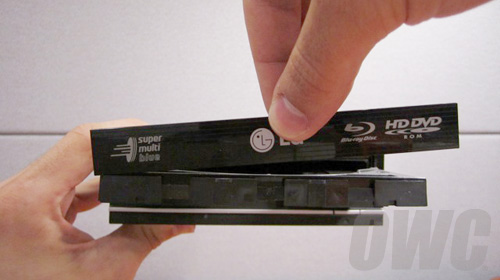
        Now that the Bezel is slide up proceed with pulling it up off of the tounge-and-grove
        channels on the right and left edges until completely free.
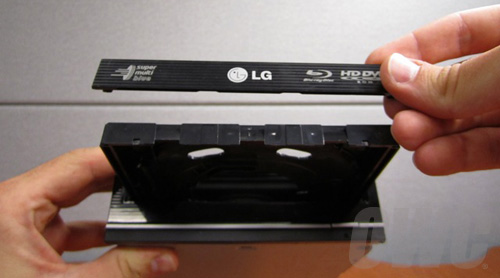
        Now proceed with sliding the tray gentally back into the drive
        and continue with the install of your optical drive.

        For more of visual references watch our video here.

        Device shown: LG Electronics - Super Multi Blue | Photos: Devin Predmore of OWC 06/11/10

        Helpful Links
        • About Us
        • DIY Install Videos
        • Join our Affiliate Network
        • Where to Buy (opens in a new tab)
        • Accessibility Statement
        • Sustainability is Good Business
        • Join the MacSales.com Team
        • Media+Newsroom
        • Privacy Promise
        • MacSales.com for Business
        Join the MacSales.com Newsletter

        Join hundreds-of-thousands of tech enthusiasts across the planet and gain access to specials, clearance, and holiday savings on the OWC upgrades, drives, and docks everyone loves.

        Newsletter Subscription

        Please enter a valid email address.

        • bbb
        © 2000-2026 Other World Computing, Inc., All Rights Reserved. Site Terms Guest ID:
        Your Privacy Choices
        This item has been added to your cart