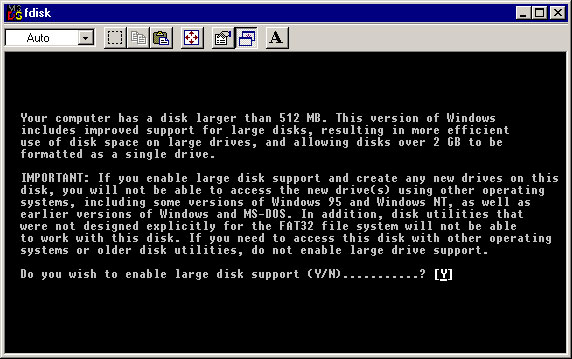
At the following screen, accept the default value of 'Y' and hit return.
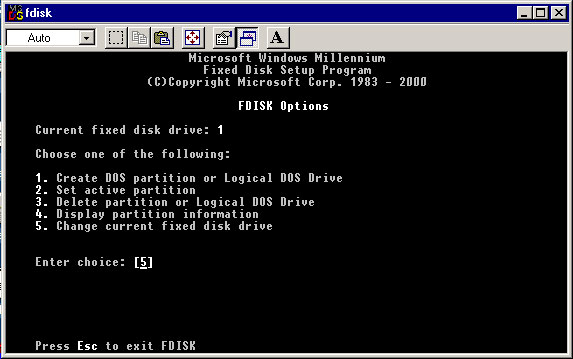
Choose option #5 and hit return.
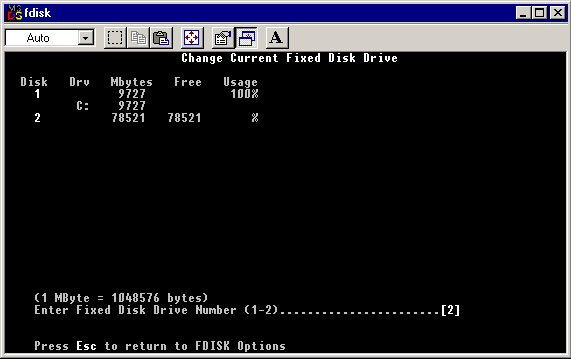
Your screen should look something like the one below. In addition to your C drive, you should see another volume that does not have a drive letter associated with it. In this case, the drive listed as #2 is the new hard drive. Since 2 is the new drive, enter 2 at the prompt and hit return.


 1-800-275-4576

